
FlashReel: AI Video Maker
ZeroOneSolArt & Design
0.00.00 Reviews
- Version
- 1.0.0
- Installs
- 10.00K
- Age Rating
- Mature 17+
Screenshots
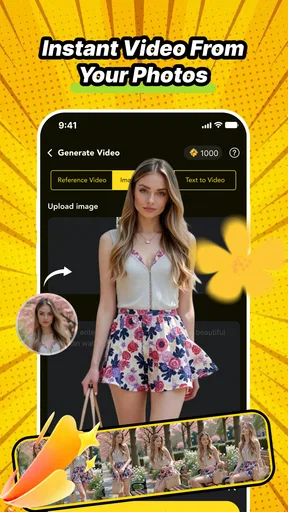
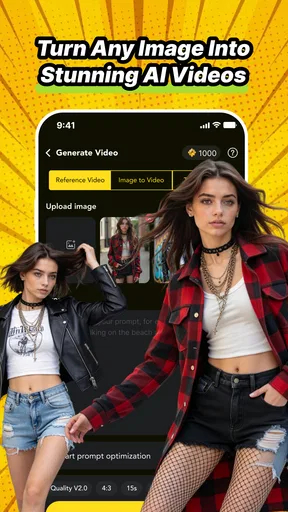
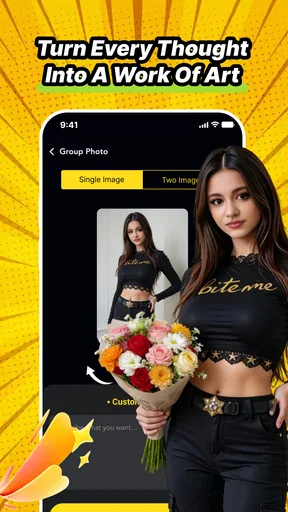
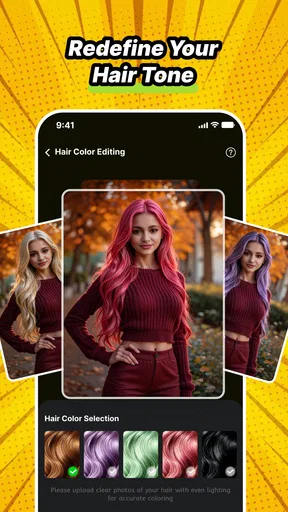
Our Review of FlashReel: AI Video Maker
 Analysis by Appyee
I approached FlashReel: AI Video Maker as a quick creative tool rather than a full video-editing suite. That distinction matters. Its appeal is not building a carefully layered production from scratch; it is turning a still image into something with movement and choosing a ready-made visual direction without spending a long time on a timeline. For a social post, a personal greeting, or a small visual experiment, that can be a very useful change of pace.
The app sits in the Art & Design category and comes from ZeroOneSol. It is free to install, with optional purchases ranging from $1.99 to $99.99 per item. I would treat the free entry as a chance to learn the workflow before deciding whether the paid elements fit your habits, especially because AI creation tools can feel exciting during the first session and less useful once the novelty wears off.
How the basic workflow feels in everyday use
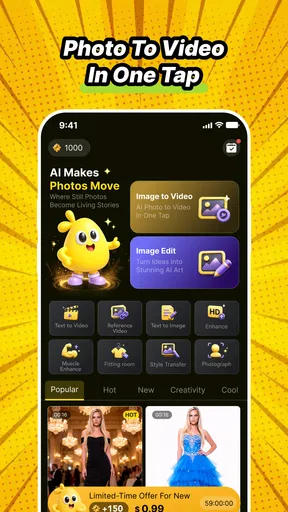
The first sensible workflow is simple: choose a photo with a clear subject, explore the available creative video templates, and let the app turn that starting point into a short animated result. The important choice happens before processing. A sharp portrait, a product photo with clean edges, or a landscape with obvious depth gives the animation more to work with than a crowded image containing several competing subjects.
I found it helpful to prepare the image mentally before opening the app. Decide what should attract attention, what can remain still, and whether the final clip is meant to feel calm, playful, dramatic, or polished. Even when the app handles much of the transformation, the quality of the source photo still shapes the result. A template cannot fully rescue a blurry picture or an image where the main subject is partly hidden.
FlashReel is most convincing when I use it for a single visual idea rather than asking it to tell a complicated story. A family photograph can gain gentle motion for a message, while a travel shot can become a more energetic social clip. A small business owner might use a clean product image to create a more noticeable post than a static picture. These are practical uses because the starting material already carries the meaning; the animation simply gives it more presence.
One everyday scenario makes the app’s purpose clear. Imagine I have taken a portrait at a birthday gathering and want to send something more memorable than the original image. I can select the photo, try a template that suits the mood, and compare the result with the untouched picture. If the effect distracts from the face, I would switch to a quieter option instead of trying to force a dramatic style onto a personal moment.
The app’s short description is simply “FlashReel,” while its broader promise centers on AI animation and creative templates. In practice, that means I would not open it expecting the same control as a traditional editor. The value is speed and experimentation. The trade-off is that the creative decision is partly shared with the app’s automated treatment and the limits of whichever template I choose.
Choosing better source images
A repeatable habit makes a bigger difference than repeatedly tapping through random choices. I start with three checks: the subject is easy to identify, the important details are not cut off, and the background is not so busy that movement becomes confusing. For portraits, leaving a little space around the head and shoulders gives the composition room to breathe. For objects, a contrasting background helps the subject remain visually dominant.
I also keep the intended audience in mind. A playful animation may be fine for a private message but unsuitable for a professional announcement. Conversely, a restrained treatment can look dull when the goal is a celebratory post. The app is better when I treat templates as visual moods rather than interchangeable decorations.
Another useful habit is to save the original image separately and judge the generated result beside it. AI animation can make a photo feel more alive, but it can also alter the emotional balance. If the movement pulls attention toward an irrelevant background detail, the result may be technically interesting but less effective. Comparing both versions prevents the effect from becoming the point of the post.
Settings and choices worth checking
Before creating anything I would look carefully at every visible option in the selected template and read the wording around any purchase prompt. The free installation makes it easy to start, but optional items can change how often I use the app. Since individual in-app purchases span from $1.99 to $99.99, I would avoid assuming that every creative option belongs to the free experience. I would first test the available path with images I do not urgently need.
The mature 17+ content rating is another detail families should take seriously. It does not automatically describe every image or result I might create, but it means I would not hand the app to a younger user without checking the store and device context myself. For adults, the rating is a reminder to use sensible judgment when selecting photos and sharing generated videos.
I would also check the phone’s available storage and keep the source image accessible before beginning a session. AI-generated media can be more cumbersome to manage than a single photograph, and a workflow that begins with a missing original or an unclear save location quickly becomes frustrating. I prefer to create one test result, inspect it, and then decide whether to continue with a batch of images.
The current version is 1.0.0, so I would approach it as an early-stage experience. That does not make it unusable, but it does encourage realistic expectations. Small interface decisions matter more in a young app: a confusing back button, an unclear processing state, or a template that does not match the preview can interrupt the otherwise quick workflow. I would keep the first session exploratory rather than planning an important campaign around it.
Faster patterns for repeat use
Experienced use is less about discovering a secret button and more about reducing unnecessary decisions. I would create a small personal routine: select a suitable image, identify the mood, preview a restrained template first, and only then try more expressive alternatives. This prevents me from spending time on styles that were never appropriate for the image.
For a series of related posts, consistency is more valuable than maximum variety. If I am preparing several images from one event, I would favor templates with a similar energy and compare them as a group. A single spectacular clip can look out of place beside several quiet images. FlashReel works better as part of a visual rhythm when I use it deliberately rather than treating each photo as an isolated experiment.
I would also separate creation from sharing. First, inspect the animation for awkward emphasis, distracting motion, or an unsuitable tone. Then decide where it belongs. A result that looks attractive in the app may need a different caption or audience than the original photo. This two-step habit is especially useful for professional profiles, where a fast AI effect should support the message instead of making the post feel random.
When a result is almost right, I would change one variable at a time. Switching both the source photo and the template makes it difficult to understand what improved. Keeping the image fixed while trying another visual treatment gives a clearer comparison. This is a small discipline, but it turns casual tapping into a repeatable creative process.
Where it differs from ordinary alternatives
Compared with a conventional photo editor, FlashReel is more immediate for users who want motion without learning layers, keyframes, or detailed timing controls. A traditional editor remains the better choice when I need exact text placement, manual transitions, precise cropping, audio editing, or a carefully controlled sequence. It rewards patience and gives me more ownership over the final composition.
Compared with a basic slideshow maker, FlashReel’s focus is more image transformation than simply placing several photos one after another. That makes it attractive when one strong picture is the starting point. A slideshow tool is usually more suitable for a chronological story involving many images, captions, and deliberate pacing.
Compared with making a short clip manually in a social platform, the app offers a more focused space for experimenting with the photo itself. The social app may still win when I need immediate music, captions, audience controls, or publishing tools. FlashReel makes more sense earlier in the process, when I am trying to create a distinctive visual asset rather than finish an entire post inside one application.
This is why I would not call it a universal replacement. Its strength is a narrow but useful lane: quick AI-assisted animation from photos and template-led visual exploration. Users who already enjoy detailed editing may find the experience too constrained, while beginners who want an instant creative result may appreciate exactly that lack of complexity.
Limits that become clearer with serious use
The main limitation is control. Automation can produce an appealing direction quickly, but it also means I may not be able to correct every small detail the way I could in a manual editor. If a movement feels too strong or the visual emphasis lands in the wrong place, the practical solution may be trying another template or starting with another image rather than adjusting a precise parameter.
Repetition can expose another weakness. A template that feels fresh once may become predictable across a group of posts. I would therefore keep the app in a rotation with ordinary editing tools instead of using the same treatment for every image. The best result often comes from knowing when not to animate a photo at all.
There is also a judgment issue with AI-generated motion: a technically smooth result is not automatically a tasteful one. Faces, sentimental photographs, and images with cultural or personal meaning deserve extra attention. I would reject a clip if the animation makes the subject look unnatural or turns a sincere moment into a gimmick. The app can accelerate creation, but it cannot replace that final human decision.
Users who need a predictable professional workflow should be cautious about building a large project around a template-based tool. For a client presentation, a branded campaign, or a video requiring exact revisions, I would choose software with explicit editing controls and a clearer production structure. FlashReel is more comfortable for quick concepts, personal content, and lightweight visual posts.
Device compatibility is reasonably broad at the operating-system level because the app supports Android 7.0 and later. That makes it accessible to people who are not using the newest phone, although the practical smoothness of AI media creation can still vary with the device. I would begin with a small test rather than importing a large collection immediately, particularly on older hardware.
Who should use it, and who should skip it
I would recommend FlashReel to someone who has good photos but little interest in learning a full editor. It suits casual creators, people preparing personal greetings, small sellers making quick visual posts, and anyone who enjoys comparing several moods for the same image. The free starting point lowers the barrier to experimentation, while the template approach keeps the first session approachable.
I would be more hesitant to recommend it to a user who needs detailed manual control, dependable brand consistency, or a complete video-production workspace. If your work depends on exact timing, custom typography, multiple media tracks, or repeatable technical settings, a conventional editor will likely save time in the long run even if it takes longer to learn.
Parents should pay attention to the mature 17+ rating before allowing access. I would also advise anyone concerned about spending to review purchase prompts carefully and decide on a personal limit before exploring paid creative items. The range of optional purchase prices means casual experimentation should remain intentional rather than turning into a series of impulse taps.
My mastery verdict
After using the app as a focused photo-to-video tool, I see its best quality clearly: it shortens the distance between a still image and a shareable creative idea. The workflow is approachable, and the template structure encourages experimentation without demanding the technical knowledge of a full editor. For the right photo and the right mood, the result can feel much more engaging than the original image.
My advice is to build a habit around selection and restraint. Start with a strong source image, preview the least distracting suitable style, compare the animation with the original, and change one choice at a time. Keep the original file, inspect the result before sharing, and use a traditional editor when the project requires exact control. Those habits matter more than chasing every available effect.
ZeroOneSol’s app is free to begin with, supports Android 7.0 and later, and has reached over 10K installs. I would view that as a modest, early audience rather than a reason to assume it replaces established editing software. Its version 1.0.0 status reinforces the same conclusion: FlashReel is worth trying for quick AI-assisted visual ideas, but I would keep expectations proportional and avoid depending on it for demanding production work.
My final recommendation is positive with clear boundaries. If you want to animate personal photos in seconds and enjoy choosing from creative templates, FlashReel: AI Video Maker offers a pleasantly direct route from image to short visual experiment. If you want complete authorship over every frame, detailed audio and text work, or a polished professional pipeline, I would choose a more traditional editor instead. The app is strongest when speed supports your idea, not when speed is asked to replace the idea.
Verdict
Strengths of FlashReel: AI Video Maker
- Turns scripts or ideas into short videos quickly with AI assistance.
- Offers ready-made templates for social media-friendly video formats.
- Can help users without editing experience create polished content.
- Useful for producing promotional clips, reels, and simple storytelling videos.
- AI-generated workflows can reduce the time spent planning and editing.
Limitations of FlashReel: AI Video Maker
- AI results may require manual edits to match your intended message.
- Some templates and assets may be locked behind a subscription.
- Video exports can include limits on quality, length, or branding by plan.
- Generated narration, captions, or visuals may occasionally feel unnatural.
- Regular use may consume considerable storage and mobile data.
Similar Picks in This Category
View All
Canva: AI Photo & Video Editor
Canva4.8

PENUP – Drawing-sharing SNS
Samsung Electronics Co., Ltd.4.5

Crafto
Kutumb App4.6

Sketchbook
Sketchbook4.1

ibis Paint X
ibis inc.4.5

Adobe Express: AI Photo, Video
Adobe4.6
Frequently Asked Questions
What is FlashReel: AI Video Maker, and who is it designed for?
FlashReel: AI Video Maker is an AI-assisted video creation app designed to help users turn ideas, scripts, images, or written prompts into short-form videos. It is especially useful for social media creators, small businesses, marketers, educators, and beginners who want to produce engaging content without learning complex desktop editing software. The app focuses on simplifying planning, editing, and presentation through automated tools.
Can FlashReel create a complete video automatically from a text prompt or script?
FlashReel can help generate much of a video project from text, depending on the selected tools and the current version of the app. AI may assist with structuring a concept, creating scenes, suggesting visuals, adding captions, or preparing narration. However, automatic results are not always perfect. You should review the script, timing, images, pronunciation, and transitions before exporting, particularly when accuracy and brand consistency are important.
Does FlashReel: AI Video Maker include voiceovers, music, captions, and templates?
The app is intended to provide several features commonly needed for short video production, including templates, text overlays, captions, visual assets, music, and voiceover-related options. Availability can vary by device, region, subscription level, and app update. Free users may encounter restrictions on premium templates, export quality, audio choices, or branding. It is worth checking the in-app feature labels and pricing before building a larger project.
Is FlashReel free to download, and are there in-app purchases or subscription limits?
FlashReel may be available to download without an upfront charge, but downloading the app does not necessarily mean that every feature is free. AI generation, premium templates, higher-resolution exports, extended projects, commercial assets, or watermark removal may require credits, a subscription, or a one-time purchase. Review the trial terms, renewal settings, credit usage, and cancellation policy carefully before confirming any payment.
What should I check before exporting and sharing a video made with FlashReel?
Before publishing a FlashReel project, watch the entire video from beginning to end and check for incorrect AI-generated text, awkward cuts, repeated visuals, caption errors, unnatural narration, and music that is too loud. You should also confirm whether the included images, audio, voices, and templates allow commercial use. Finally, verify the export resolution, aspect ratio, watermark status, and compatibility with the platform where you plan to post it.
